Cyberpunk style guide
Cyberpunk Codex Skin: Neon Without the Eye Strain
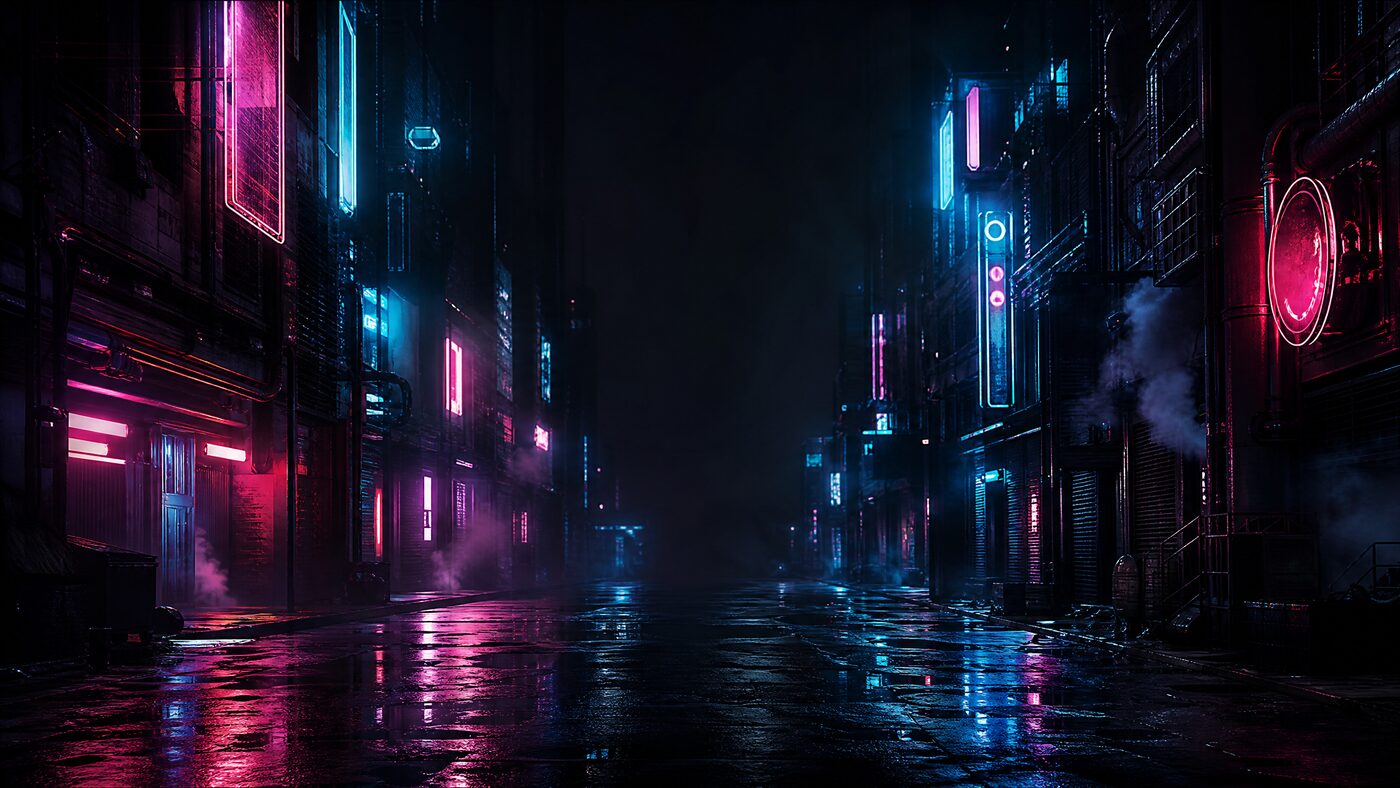
Cyberpunk is easy to overdo. The trick is to keep the neon at the edges and give the work a dark, matte surface with one confident accent.
Updated 2026-10-20
Quick answer
A cyberpunk Codex skin needs a dark base, one or two neon accents and a low-detail center. Rain, reflections and signage belong at the edges. Test text contrast and diff colors before you export; saturated cyan and magenta can overwhelm small type.
2neon accents max
4.5:1text contrast target
0readable signs needed
Cyberpunk style guide
The street can be loud. The panel cannot.
A cyberpunk scene works because of contrast: hot signage against wet darkness. That same contrast is hostile to a paragraph of code. The solution is not to remove the neon; it is to move it away from the text and let the panel carry a quieter version of the palette.
Use one accent for interactive controls and a second, cooler tone for atmosphere. Keep both out of the diff colors. If the scene already has strong cyan and magenta, choose a neutral surface and let the image do the talking.
How it works
The decisions that actually change the result
- 01
Start dark and matte
Choose a near-black surface with low texture. A busy background needs a calm panel more than a bright one.
- 02
Put neon at the edges
Crop the signs, reflections and light trails to the outer thirds. Keep the center quiet.
- 03
Pick one control accent
Cyan or magenta, not both, for buttons and focus. The second hue stays in the artwork.
- 04
Check small type
Neon reduces perceived sharpness. Test 12–14px text and a dense diff before committing.
Prompt recipes
Prompt recipes for AI image models
These prompts are for creating a backdrop in your own account at WaveSpeed, SeeAPI, fal, Replicate or KIE. CodexSkin does not run them or charge for them.
Cyberpunk street backdrop
Cinematic 16:9 cyberpunk street at night, rain-slick pavement, layered neon signs rendered as abstract glowing shapes without readable letters, cyan and magenta reflections, steam vents, deep black shadows, no people, no text, no logos, uncluttered dark center for UI panels.Interior neon
Dark futuristic workshop interior, one cyan strip light and one warm magenta edge, matte surfaces, quiet center, cinematic concept art, 16:9, no text, no logos, no people.Image-to-image cleanup
Keep the uploaded cyberpunk composition. Remove all readable text and logos from signs, replace them with abstract light shapes. Reduce detail and contrast in the center third. Keep neon at the edges. Return a 16:9 desktop backdrop.Which path fits
4 paths, one honest table
Edge-lit sceneBest balance of atmosphere and readability.
Full neon backgroundHigh impact, high eye strain; use only for demos.
Dark abstractSafest daily driver; neon becomes a single accent.
Animated backgroundTest performance and motion sensitivity before shipping.
Next step
Keep the neon at the edges.
Open Neon Debug, move the reading column into the dark center and test a dense diff before you export.
FAQ
Questions people actually ask
Is a cyberpunk Codex skin bad for eye strain?
It can be if neon sits behind small text. Keep the reading column dark and matte, limit accents to controls, and avoid pure saturated blue on black. Test a long session before you keep it.
Can I include neon signs with text?
Avoid readable signs. They compete with the interface and may reproduce a brand or trademark. Use abstract light shapes instead.
Which diff colors work on a dark neon theme?
Use green and red with enough lightness to separate from the background. Do not use cyan or magenta for additions and removals; they are already the atmosphere colors.
Can I animate the rain?
Only if the engine supports animation and you have tested performance and motion sensitivity. A static image is safer and easier to restore.
Does the skin include copyrighted game art?
No. The preset is an original scene direction. Do not publish or sell recognizable game characters, logos or film stills without permission.
Can I use a cyberpunk skin on Windows?
The browser preview works on any platform. Background installation follows the upstream platform matrix; Windows user-image customization is not yet at macOS parity.